


C#调用C++的dll文件
作者:网络转载 发布时间:[ 2016/11/14 10:28:25 ] 推荐标签:.NET C++ Dll文件
以加法为例,讲解该过程
首先建立一个C#项目
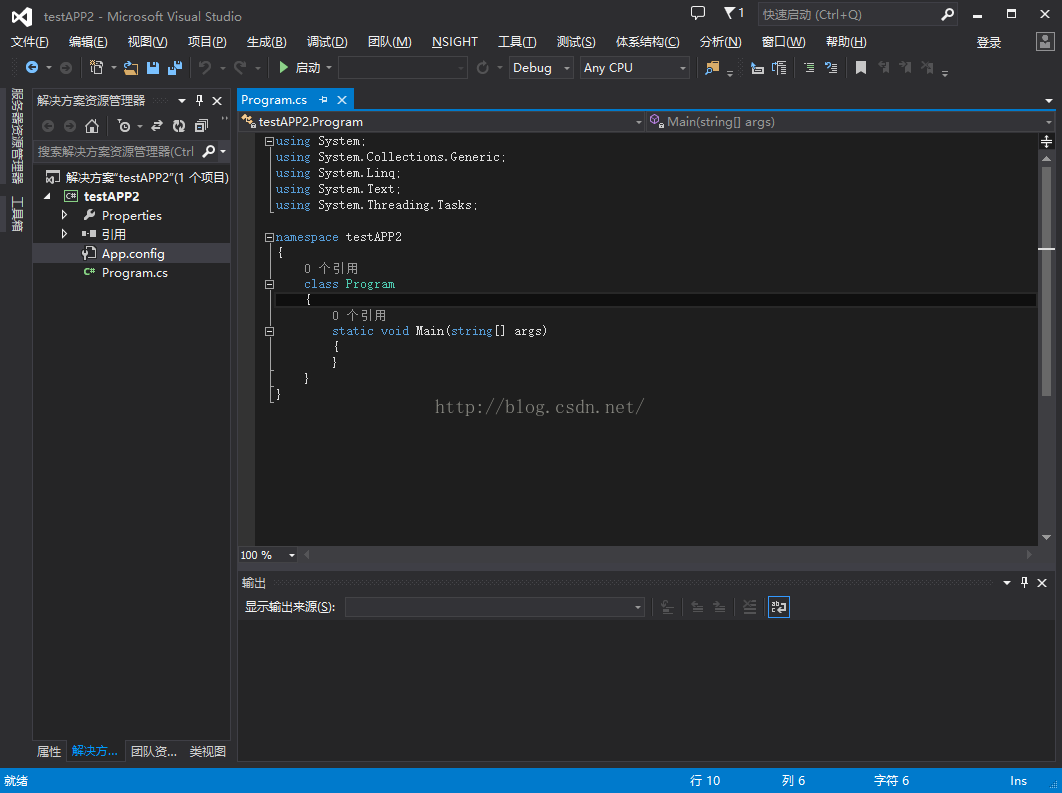
源文件--右键添加cpp文件
// the code is write in c
#ifdef __cplusplus
extern "C"{
#endif
__declspec(dllexport) int __cdecl add(int a, int b);
#ifdef __cplusplus
}
#endif
int add(int a, int b)
{
return a + b;
}
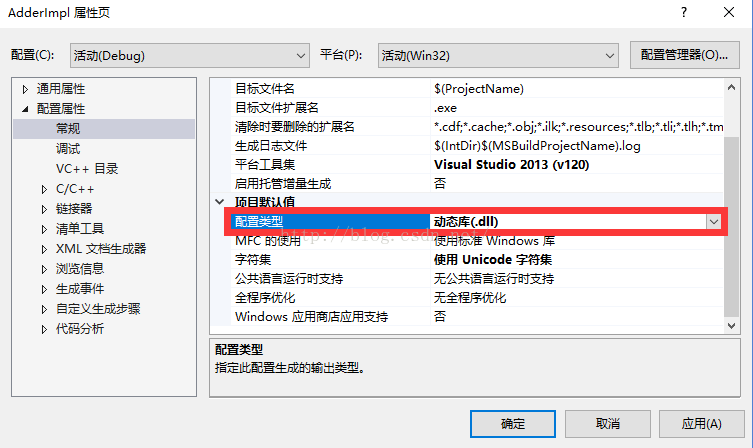
AdderImpl项目修改配置类型为动态库(.dll)
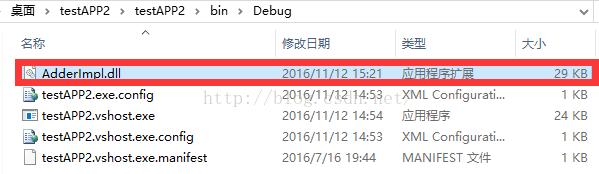
把该dll文件复制到
其中AdderWapper.cs中代码为:
using System;
using System.Collections.Generic;
using System.Linq;
using System.Text;
using System.Threading.Tasks;
using System.Runtime.InteropServices;
namespace TestApp
{
class AdderWapper
{
[DllImport("AdderImpl.dll", CallingConvention = CallingConvention.Cdecl)]
static extern private int add(int a, int b);
static public int performAdd(int a, int b)
{
// convert c# data to c data
// TODO:
// call the c interface
int ret = add(a, b);
// convert result from c data to c# data
// TODO:
// return the result
return ret;
}
}
}
Program.cs中代码为:
using System;
using System.Collections.Generic;
using System.Linq;
using System.Text;
using System.Threading.Tasks;
namespace TestApp
{
class Program
{
static void Main(string[] args)
{
int a = 3; int b = 5;
int c = AdderWapper.performAdd(a, b);
System.Console.WriteLine(c);
}
}
}
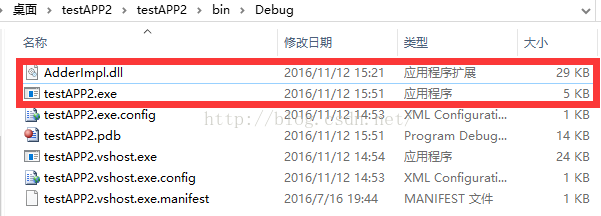
生成,也是让dll和exe在同一文件夹下
end












 sales@spasvo.com