


软件测试实验学习笔记系列3
作者:网络转载 发布时间:[ 2013/8/6 13:56:54 ] 推荐标签:
结合上述的两个测试用例的测试用例集:
package demo2;
import org.junit.runner.RunWith;
import org.junit.runners.Suite;
import org.junit.runners.Suite.SuiteClasses;
@RunWith(value = Suite.class)
@SuiteClasses(value={ ParameterTestTriangle.class,TriangleTest.class})
public class TestSuite {
}
编写的ant脚本如下:
<project name ="first build.xml" default ="report">
<target name="clean" >
<delete dir="dist"/>
<delete dir="bin/demo"/>
<delete dir="report"/>
</target>
<target name="compile" depends="clean">
<javac srcdir="src" destdir="bin" includes="demo2/*.java"
includeantruntime="true" classpath ="libjunit.jar"/>
</target>
<target name="test" depends="compile">
<mkdir dir="report/html"/>
<junit printsummary="yes" haltonerror="false" haltonfailure="false"
fork="yes" >
<formatter type="plain" usefile="false"/>
<formatter type="xml"/>
<test name="demo2.TestSuite"
todir="report"/>
<classpath>
<pathelement location="bin"/>
<pathelement location="libjunit.jar"/>
</classpath>
</junit>
<junitreport todir="report">
<fileset dir="report">
<include name="TEST*.xml"/>
</fileset>
<report format="frames" todir="report/html"/>
</junitreport>
</target>
<target name="report" depends="test">
<echo>Hello world</echo>
</target>
</project>
运行结果截图:
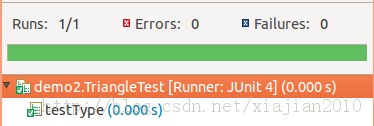
单个测试用的运行截图
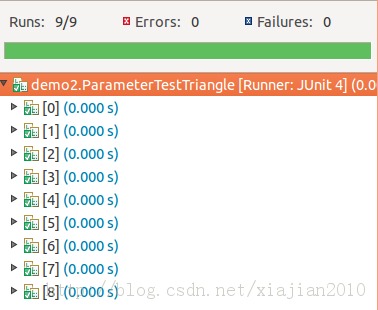
参数化测试用例的运行截图:
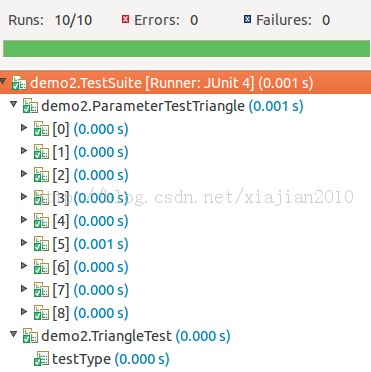
测试用例集的运行:












 sales@spasvo.com