


[PLAYING QTP]Part2?Record
作者:网络转载 发布时间:[ 2014/1/10 10:39:59 ] 推荐标签:测试人员 QTP
首次录制会出现Record and Run Settings,这里的作用是在回放时,会自动打开某个网页或启动某个应用软件,我个人不喜欢用设置,所以,选择第一项。如需要启动IE或应用软件,可以使用脚本:
CODE:
SystemUtil.Run "iexplore.exe" , "http://www.baidu.com"
在录制状态下,工具栏的这两个按钮会亮起,前者是 模拟录制 ,后者是 低级录制。
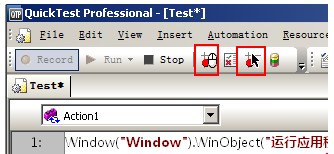
前者录制下一堆鼠标的行动动作,并生成一句:
CODE:
Desktop.RunAnalog "Track1"
后者会记录下很多的坐标,比如:
CODE:
Window("Windows Internet Explorer").WinObject("Internet Explorer_Server").Click 1159,568
Window("Windows Internet Explorer").WinObject("Internet Explorer_Server").Click 627,205
Window("Windows Internet Explorer").WinObject("Internet Explorer_Server").Type "423"
Window("Windows Internet Explorer").WinObject("Internet Explorer_Server").Type "234234"
OK,关于Record的东西聊到这里,没有什么难点。
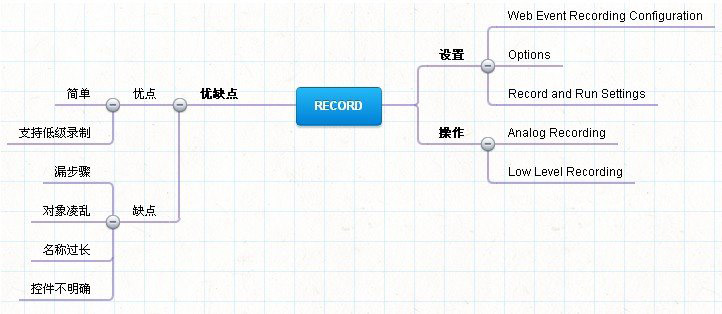
后来回顾一下说的几点吧:












 sales@spasvo.com