


在Android Studio进行“简单配置”单元测试
作者:3H 发布时间:[ 2016/7/21 14:11:41 ] 推荐标签:Android Studio 单元测试
起因
1、在Android studio 刚出。本人想弄单元测试,可惜当时Android studio不知道抽什么风(准确来说,应该是我不会弄而已)。无法执行到相应的代码。
后来突然自己又抽风。又想去弄一下Android junit。
2、本文基于做过Eclipse开发使用过Android junit,如果Eclipse的Android Junit没有使用过,我没有说过吧!
准备环境,配置
1、官网Demo地址:https://github.com/googlesamples/android-testing-templates.git
文档是:https://sites.google.com/a/android.com/tools/tech-docs/unit-testing-support
2、环境
· 根据demo中
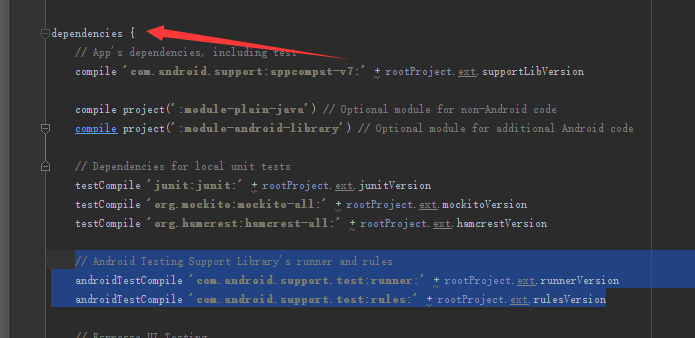
· 单纯想运行java的单元测试引入
// Dependencies for local unit tests
testCompile 'junit:junit:' + rootProject.ext.junitVersion
testCompile 'org.mockito:mockito-all:' + rootProject.ext.mockitoVersion
testCompile 'org.hamcrest:hamcrest-all:' + rootProject.ext.hamcrestVersion
· 想运行Android的Junit得引入
// Android Testing Support Library's runner and rules
androidTestCompile 'com.android.support.test:runner:' + rootProject.ext.runnerVersion
androidTestCompile 'com.android.support.test:rules:' + rootProject.ext.rulesVersion
· 后在 defaultConfig 节点添加
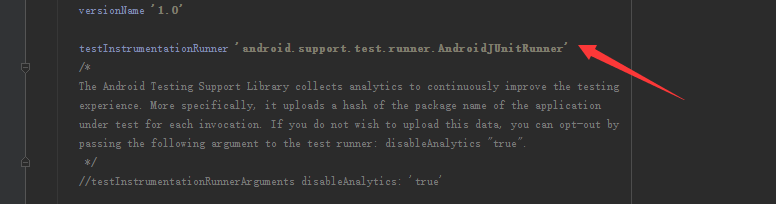
defaultConfig {
testInstrumentationRunner 'android.support.test.runner.AndroidJUnitRunner'
}












 sales@spasvo.com