


Mac使用ab性能测试工具
作者:balvender 发布时间:[ 2017/7/7 10:45:34 ] 推荐标签:软件测试 性能测试工具
Mac 使用ab命令进行压测
1.在Mac中配置Apache
①启动Apache,打开终端
sudo apachectl -v
如下显示Apache的版本

sudo apachectl start
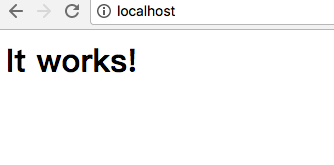
这样Apache启动了。打开Safari浏览器地址栏输入 “http://localhost”,可以看到内容为“It works!”的页面
②设置虚拟端终机
打开Apache的配置文件
sudo vi /etc/apache2/httpd.conf
在httpd.conf中找到“#Include /private/etc/apache2/extra/httpd-vhosts.conf”,去掉前面的“#”,保存并退出,去掉这一行的#意思是从/extra/httpd-vhosts.conf这个文件导入虚拟主机配置。
#Include /private/etc/apache2/extra/httpd-vhosts.conf
然后重启Apache
sudo apachectl restart
运行如下命令:
sudo vi /etc/apache2/extra/httpd-vhosts.conf
打开了配置虚拟主机文件httpd-vhost.conf,配置虚拟主机了。需要注意的是该文件默认开启了两个作为例子的虚拟主机:
<VirtualHost *:80>
ServerAdmin webmaster@dummy-host.example.com
DocumentRoot "/usr/docs/dummy-host.example.com"
ServerName dummy-host.example.com
ErrorLog "/private/var/log/apache2/dummy-host.example.com-error_log"
CustomLog "/private/var/log/apache2/dummy-host.example.com-access_log" common
</VirtualHost>
<VirtualHost *:80>
ServerAdmin webmaster@dummy-host2.example.com
DocumentRoot "/usr/docs/dummy-host2.example.com"
ServerName dummy-host2.example.com
ErrorLog "/private/var/log/apache2/dummy-host2.example.com-error_log"
CustomLog "/private/var/log/apache2/dummy-host2.example.com-access_log" common
</VirtualHost>
需要增加如下配置:
<VirtualHost *:80>
DocumentRoot "/Library/WebServer/Documents"
ServerName localhost
ErrorLog "/private/var/log/apache2/localhost-error_log"
CustomLog "/private/var/log/apache2/localhost-access_log" common
</VirtualHost>
<VirtualHost *:80>
DocumentRoot "/Users/snandy/work"
ServerName mysites
ErrorLog "/private/var/log/apache2/sites-error_log"
CustomLog "/private/var/log/apache2/sites-access_log" common
<Directory />
Options Indexes FollowSymLinks MultiViews
AllowOverride None
Order deny,allow
Allow from all
</Directory>
</VirtualHost>
保存并退出
:wq












 sales@spasvo.com