


通过HP Loadrunner VuGen来录制安卓的应用
作者:网络转载 发布时间:[ 2015/1/12 14:18:31 ] 推荐标签:Loadrunner 性能测试工具 软件测试工具
在Non-Resources content-type添加 “application/json” 。 这个将产生多个 web_url 来请求JSON源。此外,JSON的请求也将被添加到 EXTRA_RES节点中.
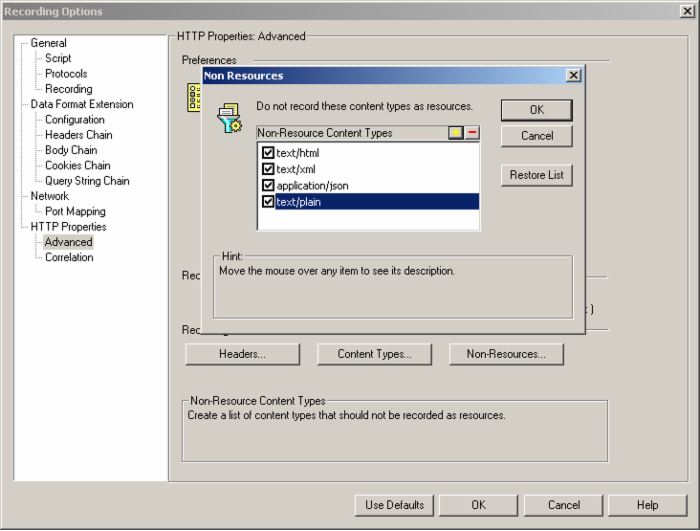
在VuGen录制器中添加content types 到'non-resources' 列表。
开始录制并且执行测试,记住,必须确保Recording toolbar有展示记录的事件。
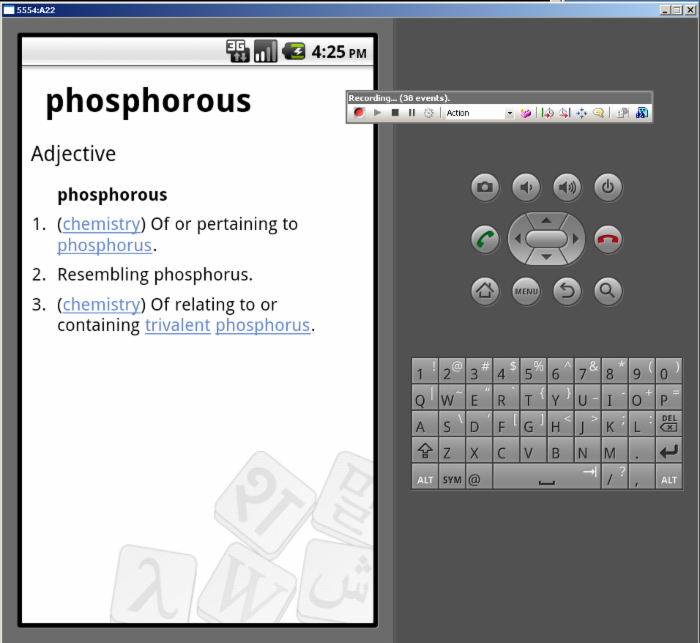
在VuGen测试停止之后,生成了测试脚本。下面是一个测试例子:
Action()
{
web_url("api.php",
"URL=http://en.wiktionary.org/w/api.php?action=query&list=random&format=json",
"TargetFrame=",
"Resource=1",
"RecContentType=application/json",
"Referer=",
"Snapshot=t1.inf",
LAST);
web_url("api.php_2",
"URL=http://en.wiktionary.org/w/api.php?action=query&prop=revisions&titles=phosphourous&rvprop=content&format=json&rvexpandtemplates=true",
"TargetFrame=",
"Resource=1",
"RecContentType=application/json",
"Referer=",
"Snapshot=t2.inf",
LAST);
lr_think_time(5);
web_url("api.php_3",
"URL=http://en.wiktionary.org/w/api.php?action=query&prop=revisions&titles=phosphorous&rvprop=content&format=json&rvexpandtemplates=true",
"TargetFrame=",
"Resource=1",
"RecContentType=application/json",
"Referer=",
"Snapshot=t3.inf",
LAST);
return 0;
}
确保回放的脚本是正确的,脚本通常需要定制正确模拟用户交互(parameters, correlation, think times, pacing,等)
记录和重放网络流量可以在树视图跟踪。
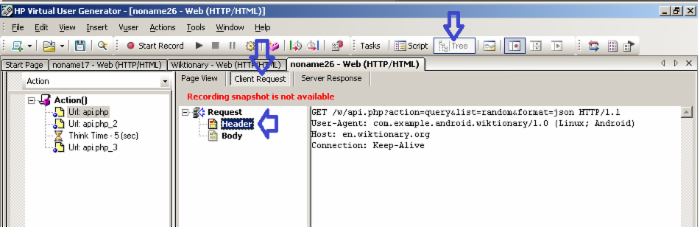
如果脚本准备好,它可以用来像用户访问中心网站一样做负载测试。
我希望这个简短的介绍将帮助您设置的Android应用程序的负载测试。












 sales@spasvo.com